Are these real weather readings?+
No. Every value is made up, by a program or a Simulink simulation, and named after UK cities so the files read like real measurements. None of them holds data from a real weather station.
Can I use these files in a tutorial, a test or a course?+
Yes. They are free to use for anything, also commercially, without asking or naming MegaRows: they are dedicated to the public domain under CC0 1.0. Copy them into your own repository, tests or course material.
How do I open a .mat or .tdms file without MATLAB or LabVIEW?+
Choose Plot it online next to the file: the MAT file opens in the MAT file viewer and the TDMS file in the plotter, in your browser, with nothing to install. Your own .mat and .tdms files open there the same way, and they stay on your device.
Which sample CSV should I use for a line, bar or scatter chart?+
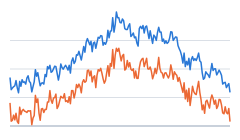
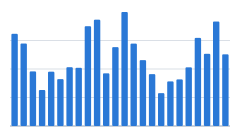
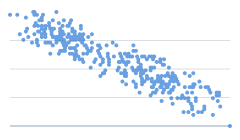
Cardiff daily temperature for a line chart, Glasgow monthly rainfall for a bar chart, and Belfast temperature and humidity for a scatter plot. Plot it online opens each one as that chart, and the same three are the examples under the CSV plotter.
How do I get the 1,000,000-row CSV?+
Choose Make and plot 1,000,000 rows: the plotter makes the file in your browser (46.7 MB) and plots it, with nothing to download first. To save it as a CSV, choose Do more → Download all columns (CSV). The biggest file to download is the 100,000-row one (4.69 MB).
Do the small chart examples have column names and units?+
Yes. Each of the three starts with a header row of column names, such as Cardiff_Temperature_Max, and a units row under it with each unit in square brackets: [°C], [mm], [days] and [%]. The plotter reads that row as units, not as data.
Is there a sample Parquet file?+
Yes: ten years of made-up hourly UK weather, 87,672 rows × 20 columns of mixed types, 2.38 MB, with one row group per year. Plot it online opens it in the Parquet viewer, and Download saves a copy.
Do I need an account to download or plot these files?+
No. There is no account and nothing to sign up for: Download saves a file straight away, and Plot it online opens it in your browser.