Online TDMS viewer, no LabVIEW needed
Open and plot .tdms files in your browser. Nothing is uploaded.
Open a TDMS file to see and plot its channels
Drop it here or choose a file. Its groups open as tables, the first channel plotted against its time.
Made on your device, nothing downloaded: a week of made-up wind and temperature, 20 readings a second, 12,096,000 per channel.
Tip: drop several files to compare them.
Your file never leaves your device. It is read and charted by your browser. Nothing is uploaded.
Opens on the first group, plotted against its time
- Chart
- The first group’s first channel against the group’s time; tick more in the channel list.
- Groups
- One table per group, or per length and rate inside a group, in the menu of the file’s line.
- Variables
- The file, groups and channels as a tree with every property; a tick plots a channel.
- Download
- “Download all columns (CSV)” under “Do more”: every channel of the table shown, with its time.
At a glance
- Opens
- .tdms files from LabVIEW, DIAdem and NI-DAQmx loggers: TDMS 1.0 and 2.0, interleaved and big-endian data, DAQmx raw data with its scaling, and a file a logger is still writing (what it has written completely).
- Groups and channels
- Each group opens as a table, its channels as columns; channels of another length or rate get a table of their own. Variables lists the file, its groups and channels with type, length, first values and every property.
- Time axis
- From the waveform properties (start time and increment) as dates and times in UTC, or seconds when there is no start time; else a time or timestamp channel; else the sample number.
- Values
- Signed and unsigned integers of 8 to 64 bits, single and double floats, booleans as 0 and 1, timestamps as dates and times, and text. Units from unit_string; NI linear and polynomial scales applied.
- Big files
- No fixed size limit: the groups and channels show at once, and a channel’s values are read when you plot or export it. Millions of samples zoom smoothly, every peak kept.
- Try it
- “Try a 12-million-sample TDMS file” makes a week of made-up wind and temperature readings, 20 a second, as a TDMS file on your device and opens it: nothing is downloaded or uploaded. Phones get one day. “Sample TDMS file”, under “Smaller samples”, is the month of weather the worked example uses.
- Export
- A group as CSV with its time column, one table per time base, on the TDMS to CSV page; any chart as a PNG image.
- Not yet
- Complex numbers and extended-precision floats (listed, not plotted); thermocouple, RTD, strain, thermistor and table scales (the values show as stored, with a note); TDMS files inside a ZIP or .gz file.
- Processing
- Runs in your browser. Your .tdms file is never uploaded, and you need no LabVIEW, DIAdem or Python.
- Price
- Free. No account or sign-up.
How to open a TDMS file online
- Open your .tdms file. Choose it, or drop it on the viewer at the top of this page. Its first group opens with its first channel plotted against its time. No file to hand? Click “Try a 12-million-sample TDMS file”: a week of made-up readings, made on your device.
- See what’s inside. The menu in the file’s line lists its groups (a group with channels of different lengths or rates gives a table for each). “Variables” shows the file, its groups and channels with their type, length, first values and every property.
- Plot, zoom and export. Tick channels in the list or in Variables to plot them, zoom with the scroll wheel, a pinch or a drag, and read their statistics. “Download all columns (CSV)” under “Do more” saves the table shown, with its time column.
A worked example you can check
This example uses the smaller sample: “Sample TDMS file”, under “Smaller samples”, opens a month of made-up UK weather, written the way LabVIEW writes a log: three groups, each with its own time base. To run the lines below yourself, download the sample TDMS file.
- Hourly (744 values, 5 channels): temperatures in London, Leeds and York, London’s humidity and pressure, every hour from 1 January 2026.
- Rain gauge (4,464 values, 2 channels): rain in London and Leeds every ten minutes, on its own time base.
- Daily (31 values, 4 channels): a timestamp channel, Date, which becomes the time axis, the day’s highest and lowest temperature and the weather in words.
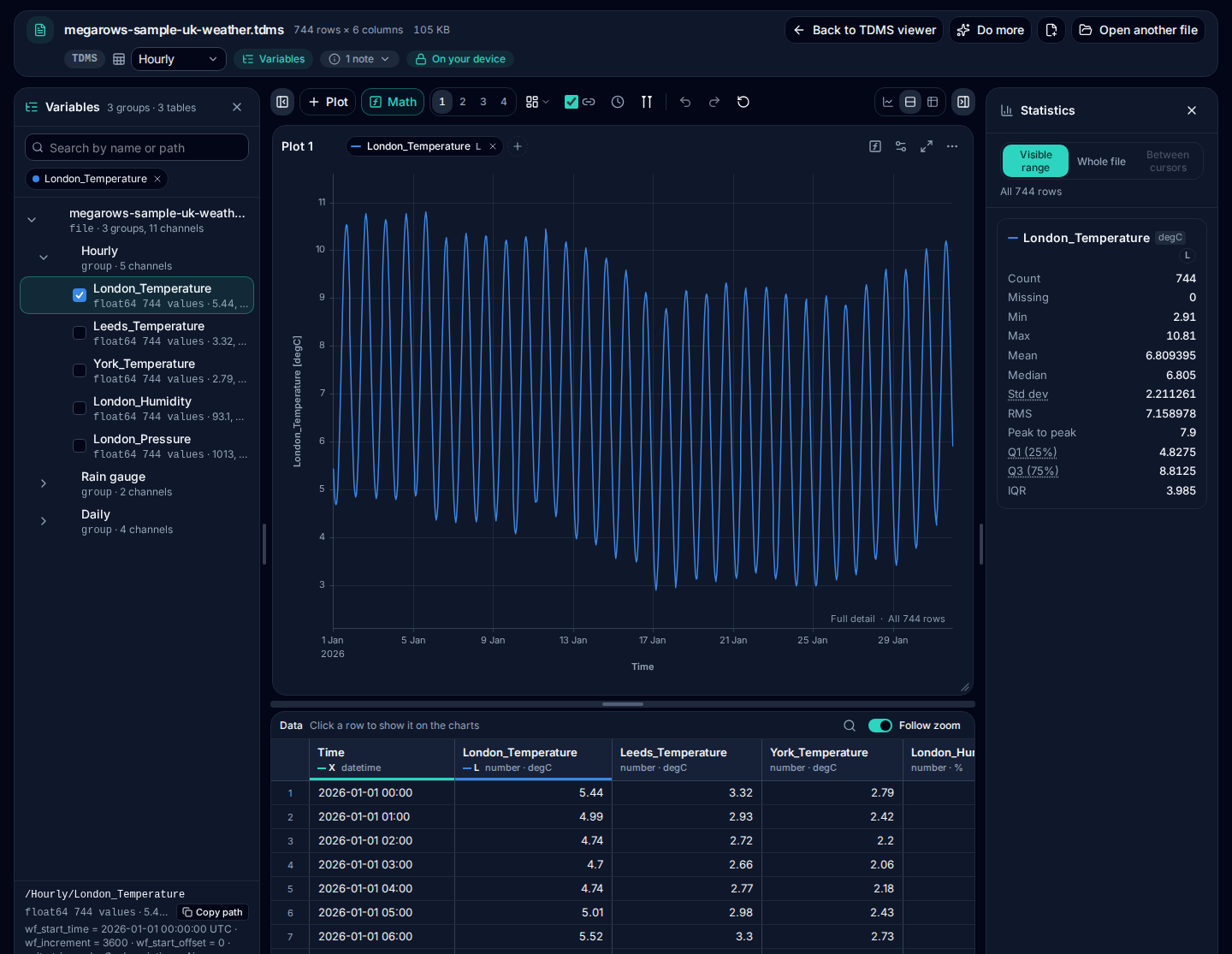
It opens on Hourly, with London_Temperature plotted against the time its waveform properties give: from 1 January 2026, 00:00 UTC, every hour. In Variables, the channel reads float64 744 values, with its first values 5.44, 4.99, 4.74, 4.7, … · degC; click it for its properties:
wf_start_time = 2026-01-01 00:00:00 UTC · wf_increment = 3600 · wf_start_offset = 0 · unit_string = degC · description = Air temperature, London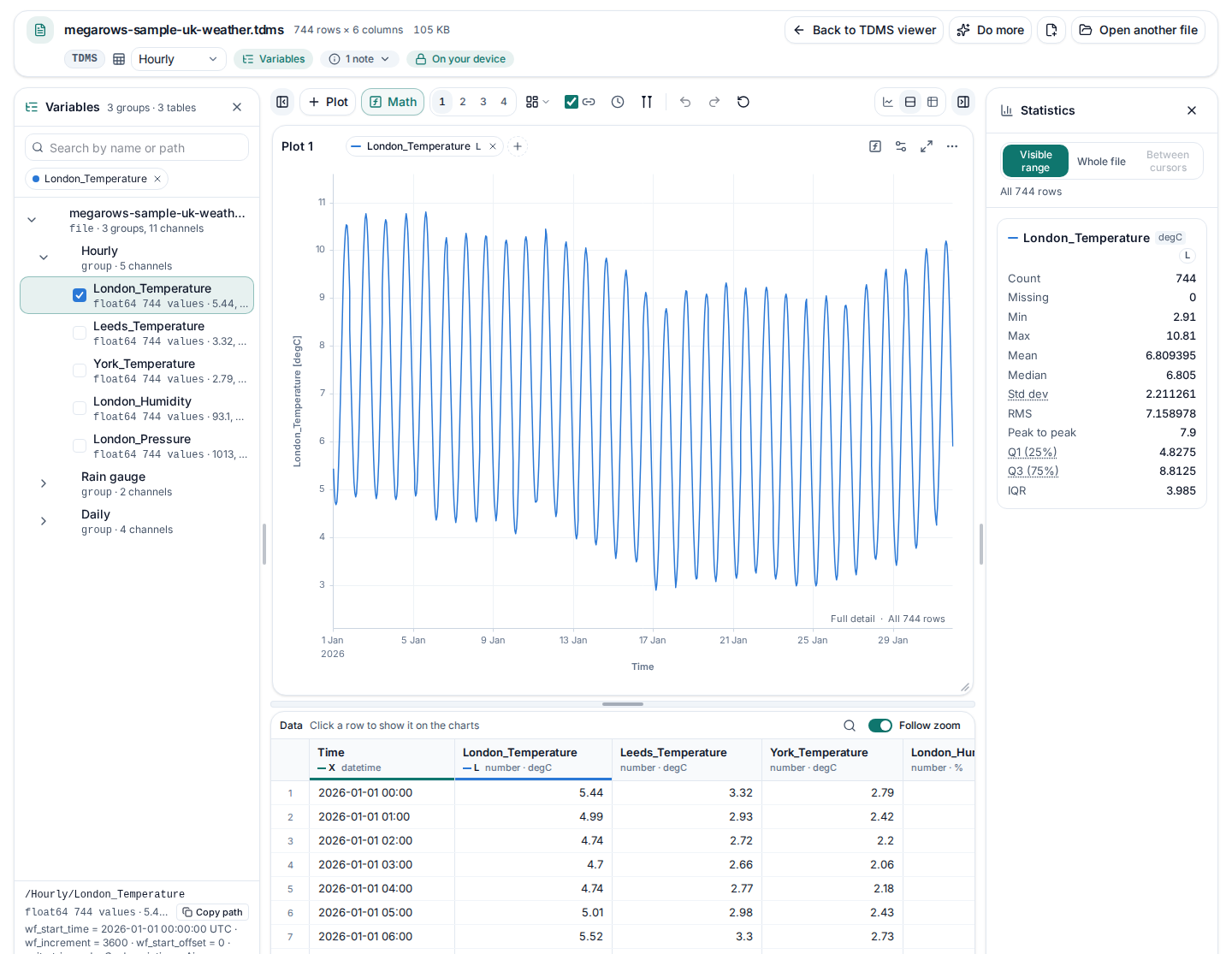
The same file read with npTDMS, the Python library for TDMS files, gives the same channels and values:
from nptdms import TdmsFile

tdms = TdmsFile.read("megarows-sample-uk-weather.tdms")
for group in tdms.groups():
    print(group.name, len(group.channels()), "channels,", len(group.channels()[0]), "values")
london = tdms["Hourly"]["London_Temperature"]
print(london.properties["unit_string"], london[:3])
print(london.time_track(absolute_time=True)[:2])
Hourly 5 channels, 744 values
Rain gauge 2 channels, 4464 values
Daily 4 channels, 31 values
degC [5.44 4.99 4.74]
['2026-01-01T00:00:00.000000000' '2026-01-01T01:00:00.000000000']Run on 2026-10-09 with npTDMS 1.12.1, NumPy 2.5.3, Python 3.12.15. A test opens the sample on every change to the site and checks that the viewer shows these groups, times and values. Download the sample (.tdms, 105 KB) to open it elsewhere too.
Groups, channels and their time
A TDMS file holds groups of channels, each with properties. The viewer opens each group as a table, its channels as columns, so a group of channels logged together plots on one time axis. Channels of a different length or rate inside a group get a table of their own, each on its own time, and channels you tick in Variables from different groups open together, each still on its own time axis.
The time comes from the waveform properties LabVIEW and DAQmx write (start time, start offset and increment): dates and times in UTC, or seconds from the start when the file gives no start time. A group without them uses a channel named like a time, or a timestamp channel, else the sample number. Units come from each channel’s unit_string property, and every property, of the file, of each group and of each channel, is in Variables.
Channels with different units read best apart: plot TDMS channels in stacked lanes, each with its own Y axis and range, on one time axis.
Big files and loggers
TDMS logs are often large and written in many pieces. The viewer reads where each channel’s values are without reading the values, so a big file’s groups and channels show at once; a channel’s values are read when you plot it, ask for its statistics or export it, and the data table reads only the rows on screen. Zooming reloads the full detail of the range in view, so a one-sample spike in millions stays visible.
Interleaved and big-endian files, TDMS 1.0 and 2.0, and DAQmx raw data with its scales all open the same way. A file a logger is still writing opens with everything it has written completely, and a note says the end was left out.
To see it with a big file, “Try a 12-million-sample TDMS file” makes a week of made-up sonic anemometer readings on your device (the wind in three directions and the temperature, 20 a second, 12,096,000 per channel), writes them as a TDMS file of seven segments, one a day, and opens it like any other: nothing is downloaded or uploaded. Zoom into any ten seconds and every reading is there, gusts and spikes included. Phones get one day, 1,728,000 per channel.
What isn’t supported yet
- Complex numbers. Channels of complex numbers are listed in Variables, greyed out with why, and are not plotted yet. The other channels open as usual.
- Some NI scales. Linear and polynomial scales, and sums and differences of scales, are applied. Thermocouple, RTD, strain, thermistor and table scales are not yet: those channels show their stored values, with a note saying so.
- Extended floats and fixed-point data. Rare 128-bit floats and FPGA fixed-point values are listed but not read.
- Compressed TDMS files. A .tdms file inside a ZIP archive or a .gz file can’t be opened there yet: unpack it first.
- Index files. A .tdms_index file only says where the values are in its .tdms file. Open the .tdms file itself; the viewer says so if you open the index.
TDMS to CSV
Need the data in Excel, Python or R? TDMS to CSV converts a .tdms file in your browser: pick a group and download its channels as a CSV with their time column, one table per time base.
Private by design: nothing is uploaded
Measurement files often hold test data that must not leave the lab. MegaRows uploads nothing: the viewer runs entirely in your browser, and the file and its name are never sent anywhere, so there is no upload size limit. Read the privacy statement for details.
Other ways to open a TDMS file
- LabVIEW and DIAdem, NI’s own software, read TDMS files natively.
- NI’s TDM Excel Add-In (free, for Excel on Windows) loads a file into a workbook, a sheet per group and a column per channel.
- Python: the npTDMS library reads files and channels, as in the example above.
- MATLAB: tdmsread, in the Data Acquisition Toolbox.
The viewer on this page needs none of them. It also opens MATLAB files, on the MAT file viewer, and CSV files far too big for Excel, on the large CSV viewer.
Next steps with your data
- TDMS to CSVA group as a CSV with its time column, one table per time base.
- MAT file viewerMATLAB .mat files, v4 to v7.3, opened and plotted the same way.
- Large CSV viewerScroll, sort and filter a CSV, millions of rows too.
- FFT from CSVThe frequencies in a measured channel, with the PSD and Grms.
- CSV plotterTDMS channels next to CSV, Excel and MATLAB files.
Frequently asked questions
How do I open a TDMS file without LabVIEW?
Open it in the viewer at the top of this page. Your browser reads the .tdms file on your own device: its groups, channels and properties appear, and the first channel is plotted against its time. You need no LabVIEW, DIAdem, Excel add-in or Python, and nothing is installed.
Is my TDMS file uploaded?
No. The file is read by your browser on your own device, and neither the file nor its name is sent anywhere, so there is no upload and no upload size limit. You can check it in the Network tab of your browser’s developer tools.
Which TDMS files can I open?
Files written by LabVIEW, DIAdem, NI-DAQmx loggers and other software that writes NI’s TDMS format, versions 1.0 and 2.0: signed and unsigned integers of 8 to 64 bits, single and double floats, booleans, timestamps and text, interleaved or big-endian data, DAQmx raw data with its linear or polynomial scaling, and files of many segments. A file a logger is still writing opens with what it has written completely. Complex numbers are listed but not plotted yet.
How large a TDMS file can I open?
There is no fixed limit. The viewer reads where each channel’s values are first and reads the values of a channel only when you plot it, ask for its statistics or export it, so the groups and channels of a big file show at once. The practical limit is your device’s memory for the channels you plot.
Where does the time axis come from?
From the channel’s waveform properties when it has them: the start time (wf_start_time) plus the start offset and the increment (wf_increment) give dates and times in UTC, or seconds from the start when the file gives no start time. Without them, a channel named like a time (Time, t, Timestamp) or a timestamp channel is the time axis, else the sample number.
Can I open TDMS files from NI-DAQmx?
Yes. DAQmx raw data is read with its scalers, and the scales NI stores with it are applied: linear and polynomial ones, and sums and differences of scales. Channels with a thermocouple, RTD, strain, thermistor or table scale show their stored values for now, with a note saying so.
Can I convert a TDMS file to CSV or Excel?
Yes, on the TDMS to CSV page: open the file, pick a group and download its channels as a CSV with their time column, one table per time base. Excel opens the CSV directly. In the viewer, “Download all columns (CSV)” under “Do more” does the same for the table shown.
What is a .tdms_index file?
A small file NI software writes next to a .tdms file, saying where the values are in it. It holds no values itself, so open the .tdms file; the viewer says so if you open the index by mistake.
Related tools and guides
- CSV plotterOpen a CSV, Excel, TXT, JSON, MATLAB, Parquet, HDF5 or LabVIEW TDMS file with millions of rows and plot it in several linked charts, with zoom and statistics. Works today.
- Large CSV viewerOpen a CSV with millions of rows in your browser: scroll every row, see each column’s type and statistics, chart any column. Works today.
- MATLAB .mat file viewerOpen v4 to v7.3 .mat files without MATLAB and plot any signal. Works today.
- Parquet viewerOpen large .parquet files, see the schema at once and plot millions of rows, without Python. Works today.
- HDF5 viewerOpen .h5, .hdf5 and NetCDF-4 .nc files: every group, dataset and attribute, each group’s datasets plotted against their time. Works today.
- MAT to CSVConvert the signals of a .mat file, v4 to v7.3, to a CSV for Excel or Python, without MATLAB. Works today.
- Parquet to CSVConvert a .parquet file to CSV in your browser, with the columns you pick. Works today.
- TDMS to CSVConvert the channels of a .tdms file to CSV, a group at a time, with its time column, without LabVIEW or Excel add-ins. Works today.
- HDF5 to CSVConvert the datasets of an .h5 or NetCDF-4 file to CSV, a table at a time, with its time column, without Python. Works today.
- Excel to CSVConvert any sheet of an .xlsx or .xlsm workbook to CSV, with the saved results of formulas, real dates and 15 significant digits. Works today.
- JSON to CSVConvert JSON and JSON Lines files to CSV: nested fields become columns named by their path, arrays stay as JSON text. Works today.
- CSV to MATConvert a CSV, Excel, JSON or Parquet file to a MATLAB .mat file: a field per column, with names and units, every row. Works today.
- Merge CSV filesAppend many CSV files into one, even with different columns or separators. Works today.
- Split CSV filesSplit a CSV too big for Excel into parts of 1,000,000 rows, parts of a size you choose, or one file per value of a column. Works today.
- CSV row counterCount the lines in a CSV, TSV or TXT file of any size. Works today.
- CSV statisticsCount, missing values, min, max, mean, standard deviation, RMS and peak to peak of each number column, for the whole file or the rows you zoom into. Works today.
- CSV histogramA histogram of any number column, with automatic bins or 10 to 200 of them, and each bin’s count as a table. Works today.
- CSV too large for Excel?Open every row of a CSV beyond Excel’s 1,048,576-row limit, or work around the limit in six other ways.
- FFT and PSD from a CSVTurn a signal column into an FFT spectrum or a PSD with Grms, with results checked against SciPy. Works today.
- PSD calculatorTurn a vibration column into a power spectral density (Welch) in g²/Hz, with the Grms of any band and a dB view. Works today.
- Spectrogram from CSVSee how the frequencies of a measured signal change over time, as a heat map in dB, with the window and range you choose. Works today.
- FRF and coherencePick an input and an output column and get the frequency response (H1, H2, magnitude and phase) and their coherence. Works today.
- The MegaRows toolboxWhat works today and what is coming next, and why nothing is ever uploaded.
Coming soon to MegaRows: CSV to Excel and PDF reports · Compare CSV versions.
MegaRows processes files locally in your browser. Nothing is uploaded, not even the file name.